Download
Flaro for Windows
Version 0.3.11, in a private beta while Riot reviews it.
The installer goes to invited testers for now. Write to us and we'll send you a link, and let you know when downloads open for everyone.
You're on this device. Flaro is a Windows app: open this page on your PC to get it.
Before you connect. Flaro hasn't been registered with Riot Games yet; its application is being prepared. Until it is registered, connect Flaro to a PBE account, not your main one; the app asks you the same when you switch the connection on.
After the download
Four steps to your first review.
Run the installer
Flaro installs for your Windows user only and adds shortcuts on the desktop and in the Start menu. It never asks for administrator rights.
Sign in, or don't
Flaro works without an account. If you want one, create it on your account page with an email code, Google, Discord or a passkey. Flaro never asks for your Riot password.
Connect when you're ready
The League connection is off at first. Switch it on from Home; until Flaro is registered with Riot, use a PBE account.
Queue up
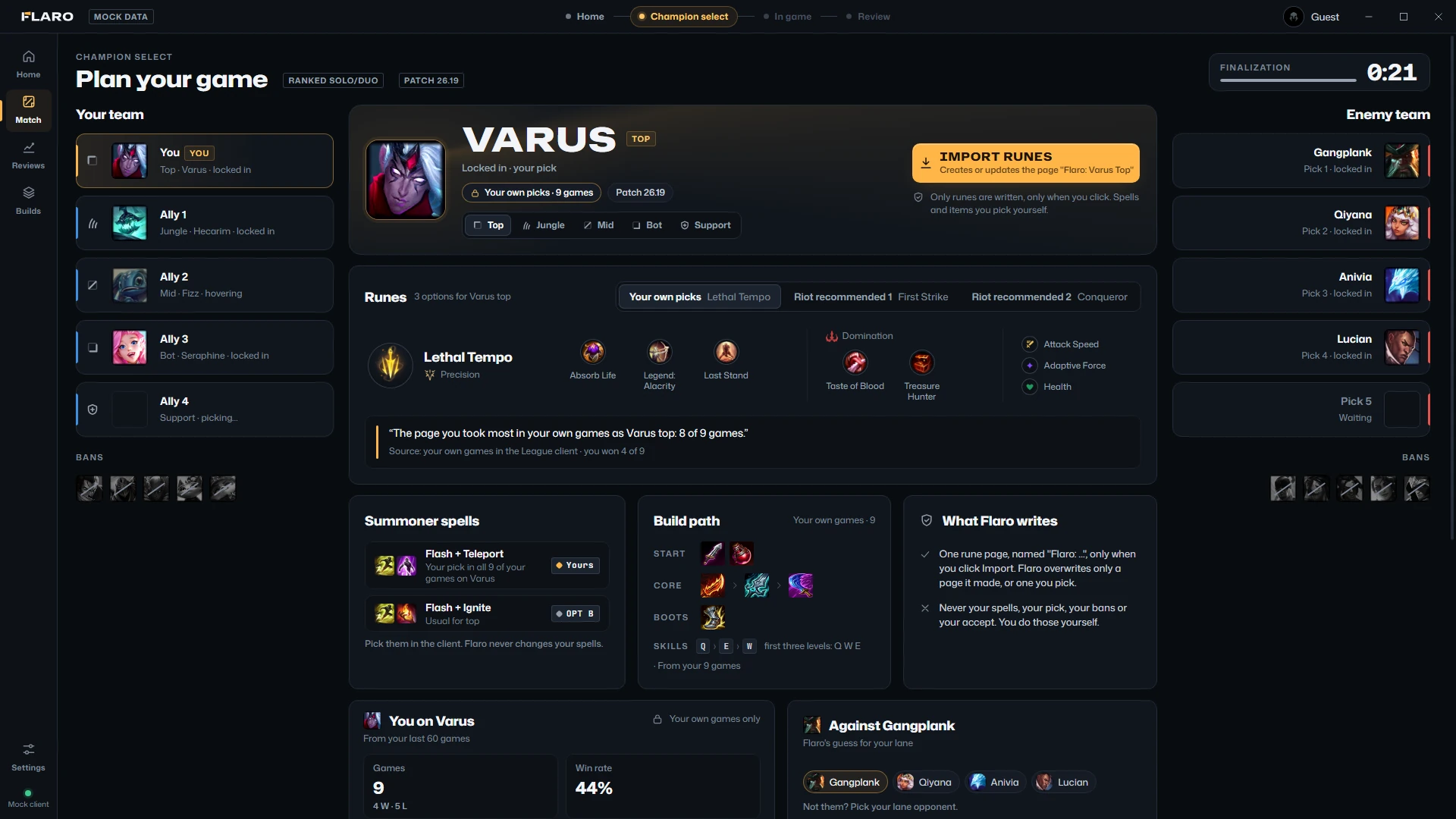
Flaro opens champion select by itself, then your numbers in game, then your review when the game ends.

System requirements
If League runs, Flaro runs.
Flaro is small next to the game, and it leaves the graphics card alone unless you ask it not to.
| Windows | Windows 10 or 11, 64-bit (x64) |
|---|---|
| Disk | About 400 MB once installed |
| Memory | Flaro itself uses about 100 to 200 MB |
| Processor | Anything that runs League. Flaro used about 1% of one core in a game, measured. |
| Graphics | Not needed. Flaro's hardware acceleration is off by default. |
| League of Legends | The Windows client, on the same PC |
| Internet | For the League client, the champion, item and rune icons from Riot's Data Dragon, and your Flaro account if you use one |
| Administrator rights | Not needed |
Check the file
Not code-signed yet.
So Windows SmartScreen may not recognise the installer. Before you run it, compare its SHA-256 with the one below.
SHA-256 of Flaro-Setup-0.3.11-public.exe
9D588997C0A5C62B83FC9293C1F8CBE66FE3E543DCA816ED2F5BBD0222DF10E5
In PowerShell, in your Downloads folder:
Get-FileHash .\Flaro-Setup-0.3.11-public.exe
Uninstall
Windows Settings › Apps › Flaro. Your data folder, %APPDATA%\Flaro, stays in case you reinstall; delete it too if you want everything gone.
Your account
Optional. Sign in on your account page with an email code, Google, Discord or a passkey, and download or delete your data there at any time.
What's new
Every version, what changed and what is still missing is in the changelog.